
Account Hardening Checklist
Most scams do not start at the bank. They start with your inbox or your phone. That is good news, because it means a few simple settings can reduce your risk by closing the easiest attack paths.
FRAUD PREVENTIONFFDIMFASCAM LINKSSCAM PREVENTIONONLINE SAFETYCALLER ID SPOOFINGFLORIDA FRAUD DEFENSE INITIATIVEFAMILY SCAM SAFETYMULTI-FACTOR AUTHENTICATIONSCAM AWARENESSHOME SECURITYTWO-FACTOR AUTHENICATION
Friendly Tech Guide
3/6/20264 min read
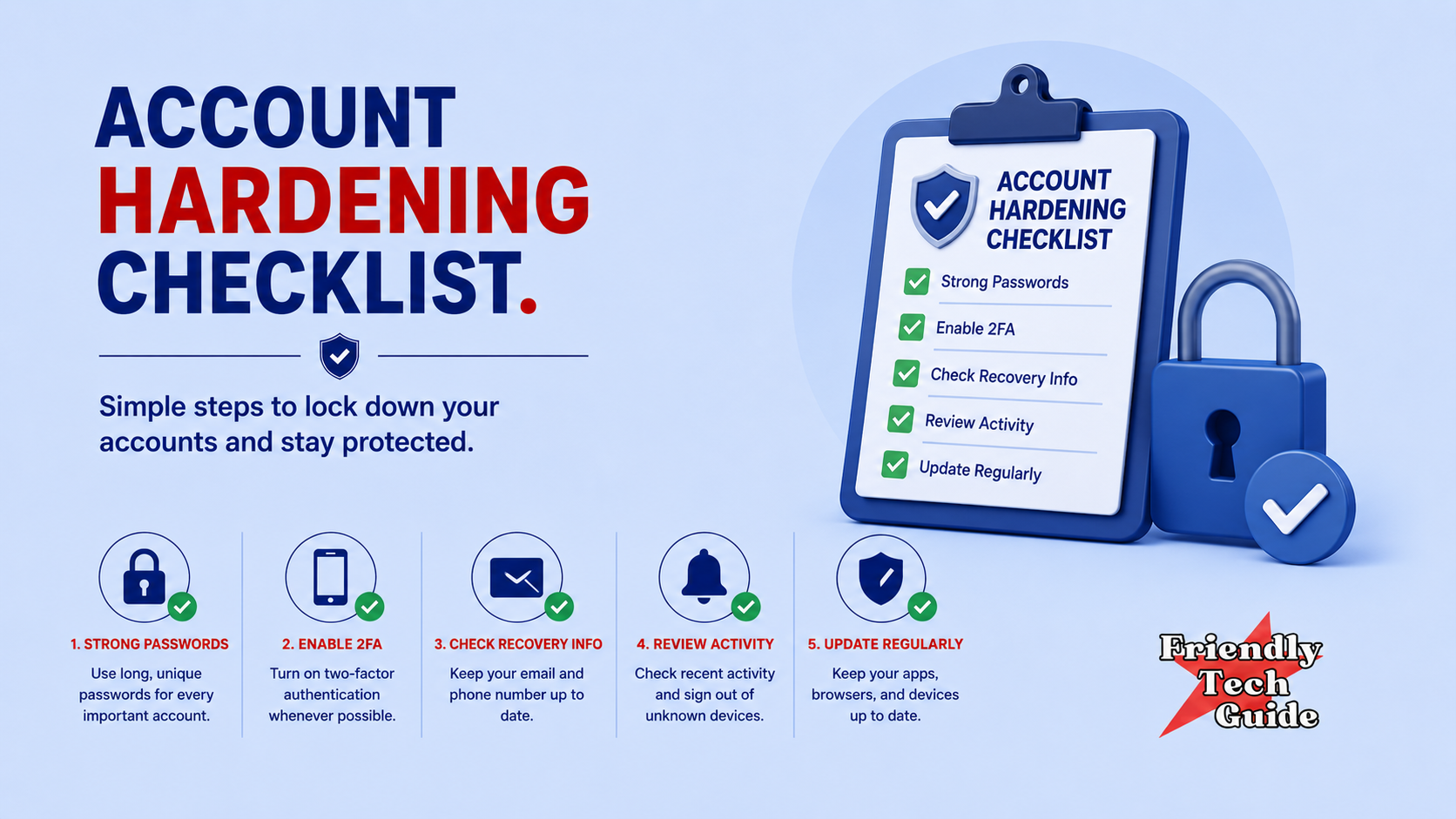
Bank, email, phone: the minimum that blocks most fraud
Most scams do not start at the bank. They start with your inbox or your phone. That is good news, because it means a few simple settings can reduce your risk by closing the easiest attack paths.
This is a minimum viable checklist: no overwhelm, no deep tech, just the basics that make you harder to target.
Protocol tagline
Recognize. Pause. Respond.
The goal
In about 30 minutes, you will:
Protect your email to reduce account takeover risk,
Protect your phone number so they cannot take over texts and codes.
Lock down your bank access so money cannot move quietly,
and turn on alerts so you find out fast if something changes.
If you are helping a parent, do this together one time. It is one of the best “future you” gifts you can give.
Step 1: The minimum setup (start here)
If you do nothing else today, do these three:
Turn on two-step verification for your email
Turn on bank alerts for logins and transfers
Save your bank's official number in your contacts (from the back of your card)
That alone reduces risk a lot.
Email hardening checklist (10 minutes)
Your email is the master key. If someone gets into your inbox, they can reset passwords for everything else.
Do this:
1) Change your email password
Use a unique password you do not use anywhere else. Long beats complex.
2) Turn on two-step verification
Pick the strongest option you can use consistently. If it offers an authenticator app, that is usually stronger than text codes, but the best option is the one you will actually keep on.
3) Confirm your recovery options
Check your recovery phone number and recovery email. Make sure they are yours, current, and not something old you forgot about.
4) Search your inbox for warning signs
Search for these phrases and scan for anything you did not request:
“verification code”
“password reset”
“new device”
“login attempt”
If you see something you did not do, change the password again and sign out of all devices if available.
An email rule that prevents most damage
Never share a verification code. Ever.
Banks and real companies do not need you to read a code to them. Scammers do.
Phone hardening checklist (10 minutes)
Your phone number is often used as a second key. Scammers love taking over a phone number to intercept codes.
Do this:
1) Use a device passcode you actually use
If your phone is unlocked, your accounts are easier to access.
2) Ask your carrier for SIM swap protection
Call your carrier using the number on your bill or the official website and ask for:
“SIM swap protection” or “port-out protection”
This makes it harder for someone to move your number to a new device.
3) Reduce surprise call pressure (optional)
If spam calls are constant, consider silencing unknown callers. The goal is not to hide from the world. It is to stop the constant pressure channel.
4) Make one contact rule
Caller ID can be faked. If it matters, you can call back using a saved contact or an official number you find yourself.
Phone scripts (keep these)
“I’m going to call back using an official number.”
“I don’t do anything with accounts during an unexpected call.”
Bank hardening checklist (10 minutes)
Banks are used to verification. You do not have to do gymnastics.
Do this:
1) Turn on two-step verification for your bank login
If it is offered, enable it.
2) Turn on alerts
At minimum, turn on alerts for:
login or sign-in
transfers or withdrawals
adding a new payee or recipient
card-not-present purchases (online purchases)
These alerts are your early warning system.
3) Confirm your contact info
Make sure the email and phone number on file are correct and current.
4) Save the official number
Save the number from the back of your card as a contact. Name it clearly, like:
“Bank, official number”
This makes the “call back” habit easy.
5) Set one personal bank rule
Never move money while you are on a call you did not initiate.
If someone says, “Stay on the line while you do it,” that is your stop sign.
Respond scripts (what to say under pressure)
If pressure shows up, you do not debate. You run the program.
Recognize
Pressure, urgency, secrecy, or a weird payment request is the signal.
Pause
“I’m not doing anything right now.”
Respond
“I’m going to verify and call back using an official number.”
Use these word-for-word:
“I’m going to verify and call back using an official number.”
“I don’t share verification codes.”
“I don’t move money under pressure.”
Monthly maintenance routine (5 minutes)
Put this on your calendar once a month:
Review bank alerts and recent transactions
Review your email security page, confirm recovery info is correct
Delete old passwords you reused anywhere and replace them over time
Talk to your family member: any weird calls, texts, or emails this month?
If you already think something happened
If you believe a scam occurred, use official channels:
Report to the FTC: https://reportfraud.ftc.gov/
Report internet crime to the FBI IC3: https://www.ic3.gov/
Consumer guidance: https://www.consumerfinance.gov/consumer-tools/fraud/
Do not click links in messages that claim to be “support.” Go to the official site yourself.
Forward this to one person you care about. If you can help a parent do this once, you prevent a lot of pain later.
If you found this information helpful, please forward it to someone who could benefit.
Disclaimer
This is general information for fraud prevention and response. It is not legal advice. If you believe a crime occurred or you are in immediate danger, contact your bank and local authorities using official contact methods.
Personalized technical assistance at your convenience.
© 2025. All rights reserved.