
Pause. Verify. Do not pay under pressure: The core anti scam protocol
FRAUD PREVENTIONFFDI
Friendly Tech Guide
3/3/20263 min read
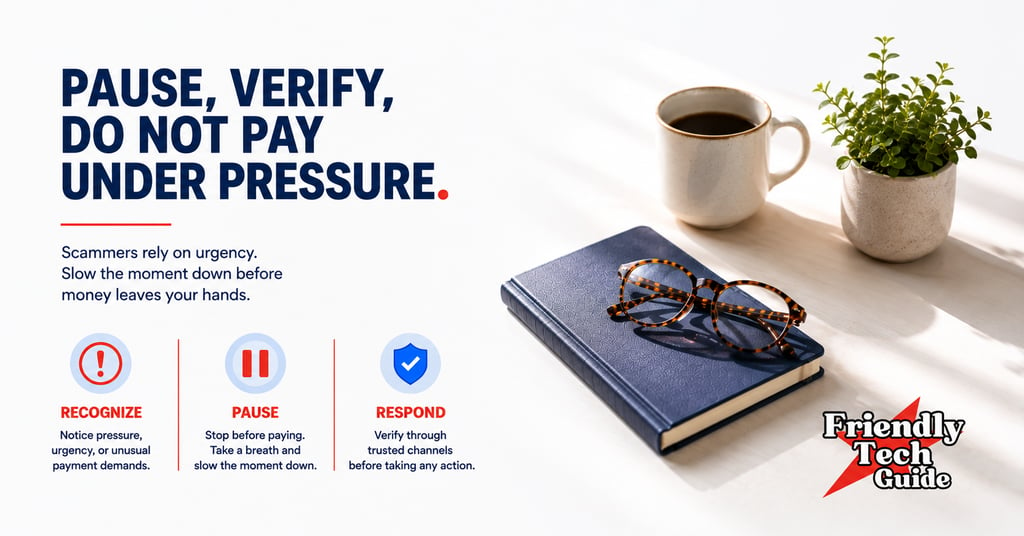
This is a mini protocol you can run anytime a call, text, or email tries to rush you.
It is built for one goal: to slow the moment down, verify safely, and avoid irreversible moves. (See Sources at the end for official guidance.)
This protocol is the RPR Method in action: Recognize the red flags, Pause to create a safety gap, and Respond by verifying through a trusted channel, and never pay under pressure.
STEP 1: PAUSE
Do not click. Do not answer questions. Do not explain yourself.
Take 10 seconds and ask:
Am I being pushed to act right now?
If yes, treat it as high risk. Your job is to slow it down first.
STEP 2: VERIFY USING A TRUSTED CHANNEL
Verification is not debating the person who contacted you.
Verification is switching to a channel you trust.
A trusted channel is one you choose, not one they provide.
Use one of these:
• A number from the back of your card
• A number from a statement you have already received
• A number inside the official app or official website you navigate to yourself
• The official app you already have installed
• A website address you type in yourself, or a bookmark you already use
Do not use:
• Any link they sent
• Any QR code they sent
• Any phone number or email address they sent (even if it looks real)
If you think it might be legitimate, verify by looking up the organization's contact information yourself (or using your card/statement/app), then checking through that channel.
If the message is real, it will remain real after you verify it through your own channel.
STEP 3: DO NOT PAY UNDER PRESSURE
If anyone pressures you to pay, move money, share a code, or give remote access, that pressure is your stop sign.
Do this instead:
• End the contact
• Verify through your trusted channel
• Only decide after verification
Important: Only scammers demand payment by gift card or cryptocurrency. If you hear those words, stop immediately. (Sources below.)
You do not need to be rude. You just need to be consistent.
THE PROTOCOL IN ONE SENTENCE:
Pause. Verify. Do not pay under pressure.
THREE SCRIPTS YOU CAN USE TODAY
SCRIPT 1: PHONE CALL
Use this when someone claims to be a bank, a delivery company, tech support, the government, or even a family member in trouble.
“Thanks for letting me know. I can’t act on this during a call. I’m going to verify through my own channel and call back if needed.”
If they push:
“I understand. I still need to verify. I’m ending the call now.”
Then:
Hang up
Find the trusted number from your card, statement, or official app/website you navigate to yourself
Call that number and ask if the issue is real
SCRIPT 2: TEXT MESSAGE
Default rule: do not reply.
Verify independently through your trusted path.
If you need a rare boundary line for repeated messages, use it once, then stop engaging:
“I will not use links or codes from texts. I will verify through the official app or website I access directly.”
Then:
Do not click
Open the official app, or type the official website yourself
Check for alerts inside your account
Block and report the sender if the platform offers it
SCRIPT 3: EMAIL
Default rule: do not reply.
Verify independently through your trusted path.
If you must send a boundary line once, keep it short and stop there:
“I will verify by signing in through the official website I access directly. I will not use links or attachments from this email.”
Then:
Do not open attachments
Do not click buttons
Type the official website yourself or use a bookmark
Check messages inside the official site or app
ONE-SCREEN CHECKLIST
Pause. Verify. Do not pay under pressure.
I pause before I click, reply, call back, or act
I do not trust links, QR codes, or contact details inside the message
I verify using a trusted path: card, statement, official app, or a website I type myself
I never share passwords or one-time codes
I never grant remote access because someone asked
I do not make irreversible payments under pressure, including gift cards, wire, crypto, or fast transfer apps
I end the contact if they push speed, secrecy, or threats
I write down what happened and verify using official channels
Optional rule:
If I feel urgency in my body, I treat it as high risk, and I pause.
SOURCES:
CISA — Recognize and Report Phishing
FBI — Spoofing and Phishing (includes: don’t click; look up the company’s number on your own)
FTC — Avoiding and Reporting Gift Card Scams (includes: only scammers tell you to buy gift cards and share the numbers)
FTC — What To Know About Cryptocurrency and Scams (includes: only scammers demand payment in cryptocurrency)
CFPB — Fraud and Scams consumer tools
IdentityTheft.gov — Report identity theft and get a recovery plan
DISCLAIMER
This is general prevention guidance, not legal advice. If you believe money or accounts are at immediate risk, use official channels you can navigate yourself, such as your bank's support number on your card or statement. If identity theft is involved, IdentityTheft.gov can help you report and get a recovery plan.
Next up: Impersonation Playbook
If you found this information helpful, please forward it to someone who could benefit.
Personalized technical assistance at your convenience.
© 2025. All rights reserved.