
The Name on Your Screen Is Not Proof: A Safer Way to Handle Urgent Calls
Caller ID can be spoofed, so the name or number on your screen is not enough to prove who is calling. Learn the pause and callback rule that keeps you safe.
PHONE SCAMSFLORIDA FRAUD DEFENSE INITIATIVEFFDIFRAUD PREVENTIONSCAM AWARENESSCALLER ID SPOOFING
Friendly Tech Guide
4/13/20262 min read
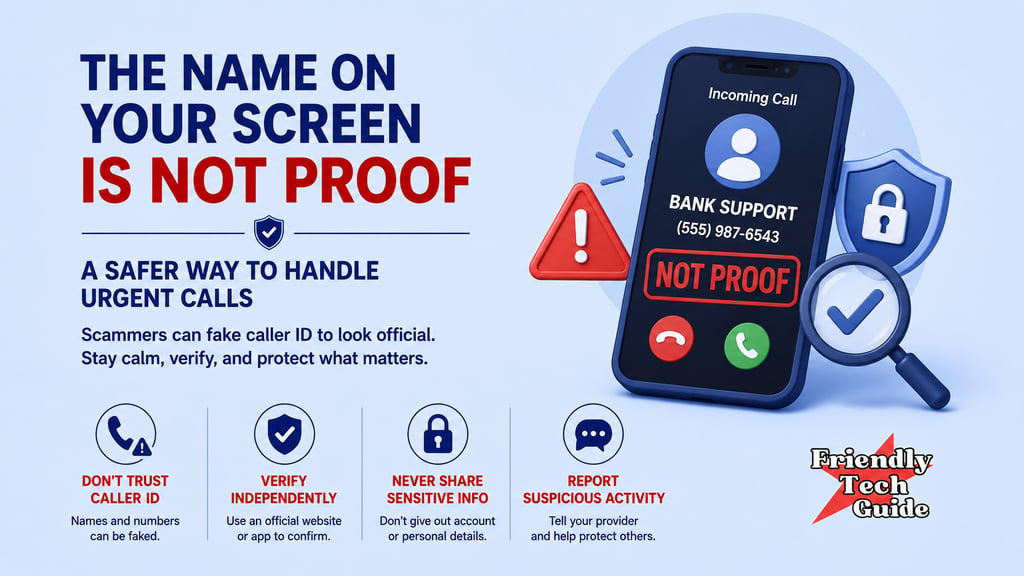
Caller ID can be spoofed, so the name or number on your screen is not enough to prove who is calling.
That one fact explains a lot of modern scam calls:
“Your bank” is calling about fraud
“The IRS” is demanding payment
“A family member” with an emergency
“Tech support” claims your computer is infected
Caller ID can look real and still be part of a scam. The safest move is not to guess in the moment.
Use this sequence instead:
Recognize. Pause. Verify through a trusted path. Respond when calm.
What caller ID spoofing means
Caller ID spoofing is when a caller intentionally changes the caller ID information that appears on your phone. The goal is to make you trust the call long enough to follow instructions.
The key point is practical:
Caller ID is not proof of identity.
Common scam pattern: familiar number plus pressure
Scammers do not just want your attention. They want urgency:
“This is urgent. Don’t hang up.”
“Stay on the line while we fix it.”
“If you hang up, you will lose money.”
“You must act now.”
Urgency is the signal to pause.
The one sentence that keeps you safe
Pause, hang up, and call back through a number you trust.
That sentence is your escape hatch. It works whether the caller ID looks real or not.
How to verify through a trusted path
Do not verify using:
the number that called you
the number they tell you to call
a link they text you
a website they spell out while you are under pressure
Verify using:
the number on the back of your card
the official number inside your bank’s app
an official website you type in yourself
a saved contact you already trust for family emergencies
What to say
Use a short, calm script:
“I’m going to pause and verify independently. I’ll call back through a trusted number.”
Or:
“I do not verify through incoming calls. I’ll contact the company directly.”
Then end the call.
What not to do
When the caller ID looks real, it is tempting to answer a few questions just to be safe.
Pause. Do not do that.
Avoid:
sharing verification codes
confirming account numbers or passwords
sending money, gift cards, or crypto
installing software or allowing remote access
Make it a household rule
The best time to decide is before the phone rings.
Household rule:
If it is urgent, we pause and call back through a number we trust.
That rule reduces fear and arguments and blocks many imposter scams.
If you found this information helpful, please forward it to someone who could benefit.
Friendly Tech Guide provides general education and support. We are not a law firm, bank, or government agency. For legal or financial advice, contact a qualified professional. If you believe you are in immediate danger, call local law enforcement.
Sources
Spoofing and Phishing
FTC — How To Avoid Imposter Scams
FCC — Caller ID Spoofing
Personalized technical assistance at your convenience.
© 2025. All rights reserved.