
The Second Lock: Why Multi-Factor Authentication Is Your Final Line of Defense
Even a strong password can be stolen. Learn why Multi-Factor Authentication is the ultimate second lock for your bank and email accounts.
FLORIDA FRAUD DEFENSE INITIATIVEFFDIFRAUD PREVENTIONSCAM AWARENESSMULTI-FACTOR AUTHENTICATIONMFA
Friendly Tech Guide
4/16/20265 min read
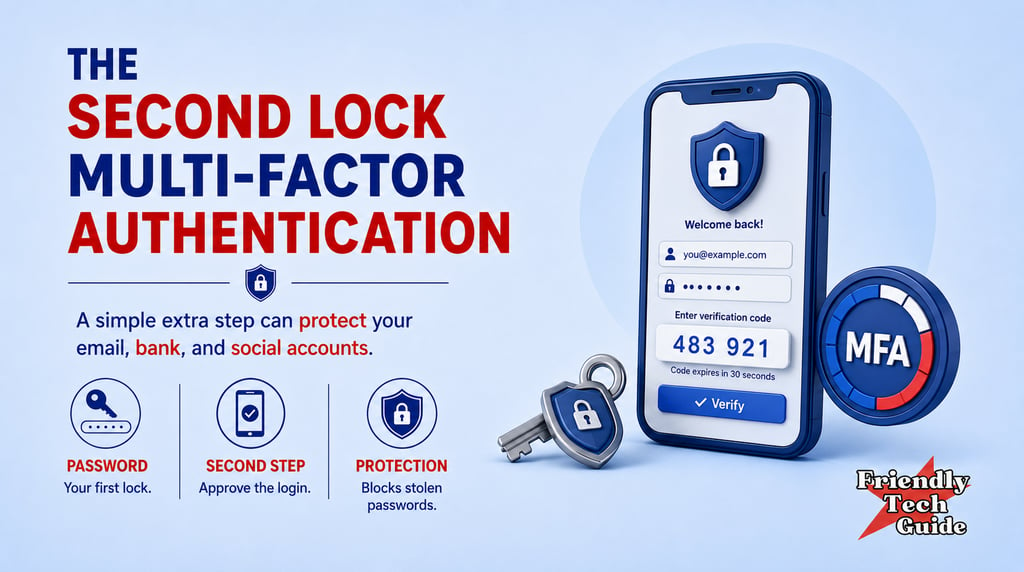
Even the strongest password can be stolen through a clever scam or a major corporate data breach. This is a difficult reality of our modern digital lives. We are often told to create long, complex passwords, and while that is excellent advice, a password is only a single point of failure. If that one secret is compromised, a scammer may be able to gain access to important personal information. That is why Multi-Factor Authentication, or MFA, is so important. It acts as a second lock on your digital doors.
As emphasized by the Federal Trade Commission, the Cybersecurity and Infrastructure Security Agency, and NIST, this tool is one of the most effective safety features you can enable on your accounts. It works on the simple principle that to get into your account, you need two distinct things: something you know and something you have.
The something you know is your password. The something you have is usually a physical device, such as your smartphone or a dedicated security key. Many people find this process slightly frustrating because it adds an extra step to the login process. However, that extra step is often where a scammer’s progress stops.
Why Passwords Alone Are No Longer Enough
For many years, a strong password was considered sufficient protection. However, the way we use the internet has changed. Data breaches at large companies can expose large numbers of usernames and passwords. If you use the same password for multiple websites, a breach at one minor site can put more sensitive accounts, like your email or your bank, at higher risk.
Scammers also use sophisticated phishing techniques to trick people into typing their passwords into fake websites that look exactly like the real ones. In these scenarios, the strength of your password does not matter because you are handing it directly to the intruder. MFA changes the equation. It ensures that even if a scammer has your password, they still cannot open the door because they do not have your second key.
Breaking the Momentum of an Attacker
If someone steals your password, they still may not be able to get into your account because they do not have your physical device to approve the sign-in or receive the second code. That is where MFA changes the outcome.
It is the digital equivalent of a high-security bank vault that requires two different keys held by two different people to open. When you see a website offer Two-Step Verification or Login Approvals, you should view it as a premium safety feature being offered for free.
By taking a few extra seconds to approve a login or enter a second code, you can make many automated login attempts far less effective. This creates a vital firebreak between your personal information and those who wish to do you harm.
Authenticator Apps vs Text Messages
There are several ways to receive your second factor, but they are not all created equal. The most common method is receiving a six-digit code via a text message. While this is much better than having no MFA at all, it has some known weaknesses. Scammers can sometimes use a technique called SIM swapping to redirect your text messages to a device they control.
To make your safety habit even stronger, we recommend using an Authenticator App whenever possible. An app on your phone generates security codes locally without relying on the cellular network. This makes the code much harder for an outside party to intercept or bypass. This is about creating layers of resilience. In a world where no single security measure is perfect, having multiple layers ensures that a failure in one area does not lead to a total loss of your digital life.
What to Do When a Surprise Code Appears
The most critical moment for your security happens when you receive an authentication prompt that you did not ask for. If your phone buzzes with a login code or an approval request while you are not actively trying to log in, you must Recognize this as a scam signal. It may mean someone has your password, or it may mean someone is trying to pressure you into approving a request you did not initiate.
Pause immediately. This is the most important step. Do not approve the request, do not enter the code into any website, and do not tell the code to anyone who calls you. The scammer may even call you a moment later, pretending to be from the company, claiming they sent the code to help you secure your account.
Verify the situation through a trusted path. Hang up the phone or close your apps. Go directly to the official website of that account by typing the address into your browser yourself.
Respond only when you are in a calm state. Log in through the official site and change your password immediately. By using your second lock to block the attempt and then immediately changing your password, you have successfully defended your account.
Where to Turn on MFA First
Once you understand how the second lock works, the next question is where to turn it on first.
If the idea of setting up MFA for every account feels overwhelming, start with the most important ones first. Your email account is often the best place to start because it is frequently the "master key" used to reset passwords for many other services you use. If a scammer gets into your email, they can often get into many of your other accounts.
Next, focus on your financial accounts, including banks, credit cards, and investment platforms. Finally, secure your primary social media accounts. Once these three areas are protected by a second lock, your overall digital security will be much stronger. You do not have to do it all in one day. Secure one account this week, and you will already be ahead of the curve.
The Small Habit That Makes a Big Difference
If you have been putting off MFA because it feels inconvenient, keep the first step small. Turn it on for one account that truly matters, then live with it for a week. After a few days, the extra step usually stops feeling like friction and starts feeling like reassurance. That shift in mindset is the real goal.
MFA is not there to make your life harder. It is there to stop a criminal at the exact point where a password alone would fail. Over time, the prompt on your phone becomes part of a normal safety habit, just like locking your car or checking your front door before leaving the house.
The extra seconds are minor. The protection they add can be significant, especially for email, banking, and any account that controls password resets for the rest of your digital life.
If you found this information helpful, please forward it to someone who could benefit.
Friendly Tech Guide provides general education and support. We are not a law firm, bank, or government agency. For legal or financial advice, contact a qualified professional. If you believe you are in immediate danger, call local law enforcement.
Sources:
Personalized technical assistance at your convenience.
© 2025. All rights reserved.