
If You Clicked the Link, Here Is What to Do Next
Clicked a scam link or entered your information into a fake site? Here is a calm, practical step-by-step plan to protect your accounts, your money, and your identity.
FLORIDA FRAUD DEFENSE INITIATIVEFFDIFRAUD PREVENTIONSCAM AWARENESSPOPUP SCAMSSCAM LINKS
Friendly Tech Guide
4/23/20263 min read
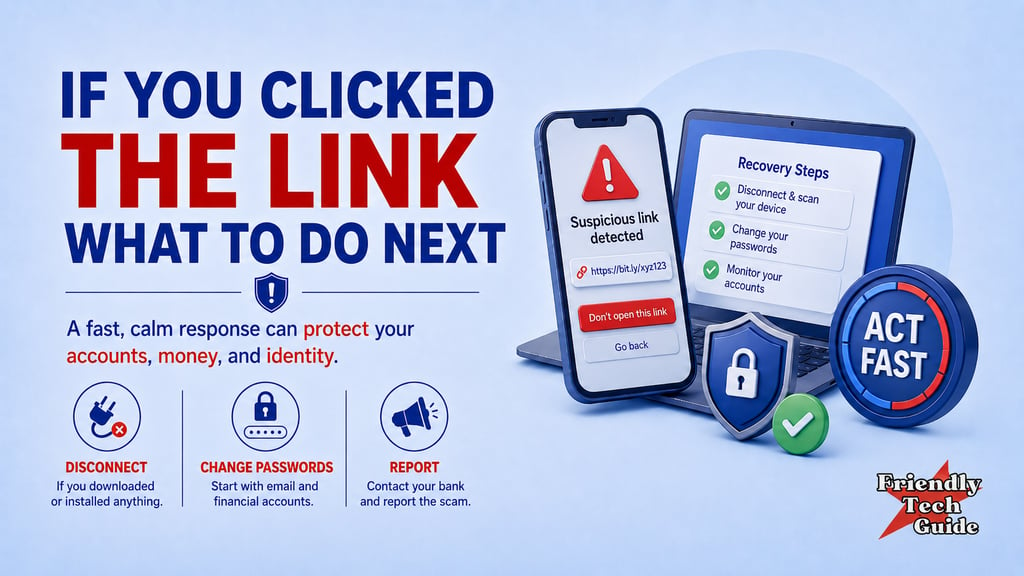
If you clicked a scam link, entered your password into a fake site, or typed in your card number before you realized something was wrong, pause for a moment and take a breath.
This happens to people every day. Scammers design these messages to catch you when you are tired, rushed, distracted, or worried. The important thing now is not shame. It is speed, clarity, and damage control.
You do not need a perfect response. You need the right next steps.
First, figure out what you actually did
Start by identifying the level of exposure.
Ask yourself these questions:
Did I only click the link?
Did I type in a password?
Did I enter a credit card or bank account number?
Did I give personal information like my Social Security number, date of birth, or driver's license number?
Did I download a file, install an app, or allow someone remote access to my device?
Your next moves depend on that answer.
If the device may be compromised, isolate it
If the site asked you to download something, install an app, or give remote access, disconnect that device from the internet right away. Turn off Wi-Fi, disable cellular data, or place the device in airplane mode.
This step helps contain the situation while you work from a different, clean device.
If you only clicked the link and closed it without entering information or downloading anything, move straight to securing your accounts.
Secure your accounts from a clean device
If you entered a password into a fake site, assume that the password is compromised.
Use a different device that you trust and start here:
Change your email password first. Your email is the reset key for many of your other accounts.
Change passwords for banking, payment apps, shopping accounts, and cloud storage.
If you reused that password anywhere else, change it there too.
Turn on multi-factor authentication (MFA) wherever it is available.
If the service offers it, sign out of other sessions or connected devices.
The goal is simple: cut off the scammer before they can keep moving through your accounts.
If payment information was exposed, call your bank or card issuer now
If you entered a credit card, debit card, bank account number, or payment app details, contact that institution immediately using the number on the back of your card or the official website you typed in yourself.
Tell them you may have exposed your payment information to a scam site.
Ask them to:
Review recent activity
Block or replace the card if needed
Flag suspicious transactions
Help you dispute unauthorized charges
Do not wait to see what happens. Fast reporting gives you the best chance to limit damage.
If personal identity information was exposed, protect your credit
If you gave out highly sensitive information such as your Social Security number, driver's license number, or date of birth, take identity protection seriously.
At that point, it may make sense to place a fraud alert or freeze your credit.
A fraud alert tells lenders to verify your identity before opening new credit in your name.
A credit freeze is stronger. It makes it much harder for someone to open a new account using your identity.
If this part feels intimidating, take it one step at a time. The important thing is to act before someone else does.
Check the device you used
After your accounts are secured, go back to the device involved in the incident.
Update the operating system and browser.
Run a full security scan with a reputable antivirus or anti-malware tool.
Delete any unknown apps, browser extensions, or downloads.
Watch for unusual pop-ups, new accounts, or strange settings changes.
If anything feels off and you are not confident you can clean it yourself, get help from a trusted technician.
Report the scam
Reporting matters. It helps agencies track patterns, warn the public, and build cases.
Use the official reporting channels that fit the situation:
ReportFraud.ftc.gov for scam reporting
IdentityTheft.gov if identity theft or misuse of personal information is involved
IC3.gov if the financial loss is significant or the case involves online crime
Even if you feel embarrassed, report it. Silence only helps the scammer.
What not to do next
Do not keep replying to the scammer.
Do not click the message again to “double-check.”
Do not reuse the same password on other sites.
Do not assume a small mistake means total loss.
A fast, calm response can still protect you.
One bad click does not have to become a bigger disaster. Calm action is how you take control back.
The simple rule
Recognize: You clicked a link or shared information.
Pause: Stop the interaction and secure the exposed account or device.
Respond: Change passwords, contact financial institutions, protect your identity, and report the scam.
Read next
If you found this information helpful, please forward it to someone who could benefit.
Disclaimer: Friendly Tech Guide provides general education and support. We are not a law firm, bank, or government agency. For legal or financial advice, contact a qualified professional. If you believe you are in immediate danger, call local law enforcement.
Sources
FTC Consumer Advice
FTC Consumer Advice
CISA
Personalized technical assistance at your convenience.
© 2025. All rights reserved.