The QR Code Trap: Why You Should Think Before You Scan
QR codes are hidden links. Learn how to spot QR code scams, pause before opening the destination page, and use safer routes for payments, logins, and personal information.
Friendly Tech Guide
5/27/20266 min read
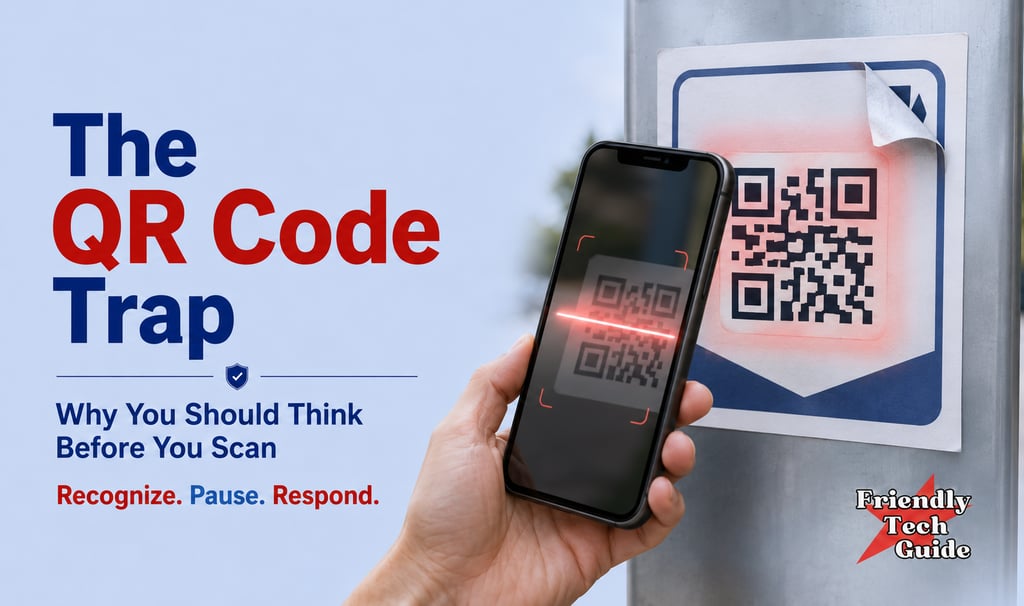
A QR code is a hidden link. You cannot see where it leads until you scan it. By then, your phone is already opening the page, and that is the trap.
QR codes are everywhere now. They appear on restaurant menus, parking meters, packages, invoices, signs, business cards, flyers, posters, emails, and mailers. They are quick, they save typing, and they feel ordinary, which is exactly why people scan them without thinking.
Most QR codes are harmless. But a QR code can look harmless and still lead to a fake page designed to steal your money or your information. The danger is not that every QR code is a trap. It is that a familiar setting can make a dangerous link look normal, so a QR code deserves the same caution as a link in a text or email.
Pause before you open it.
QR Codes Became Normal Fast
A few years ago, QR codes were barely used. Now they are a part of everyday life. Restaurants put them on menus, businesses added them to check-in forms, and parking systems used them for payment. Product packaging carried them for manuals and registration, event venues used them for tickets, and schools, offices, churches, medical offices, and local organizations all started using them for quick access to information.
That made people comfortable, and when people are comfortable, they move faster. Scammers look for exactly that opening. They do not need a dramatic movie-style hack. They only need you to scan first, trust the page, and enter information before you notice something is wrong.
The Real Risk Is the Hidden Destination
When someone sends you a normal web link, you can usually see part of the address. You might notice a strange spelling, an odd domain, or a suspicious shortened link. With a QR code, the destination is hidden inside the square pattern.
Scammers know that, and they use QR codes to send people to fake pages that look real. A fake parking payment page may look like the real city parking site, a fake package page may look like a shipping company, and a fake account page may look like your bank, email provider, utility company, or phone carrier. The code looks ordinary, the page it opens looks ordinary, and the whole trick is built on that ordinariness.
The goal is almost always the same: get you to enter something valuable, such as a username and password, a credit card number, a bank login, a one-time verification code, or personal information like your name, address, phone number, date of birth, or Social Security number.
Some QR codes also prompt you to download an app. Treat that as an immediate pause point and use your phone's official app store to find the app yourself.
How Scammers Use QR Codes
QR code scams work because they borrow trust from the real world. If a QR code is on a parking meter, people assume the city put it there. If it is on a restaurant table, people assume the restaurant placed it there. If it is on an invoice, people assume it belongs to the business. And if it arrives in a package or a mailer, people assume it is part of the delivery.
Scammers take advantage of that trust in several ways. They may place a sticker over a real QR code, print a professional-looking flyer, send a QR code by email or text, or include one in a fake invoice. They often pair the code with urgent language such as payment failed, account locked, delivery problem, or scan to avoid a late fee.
Urgency is part of the scam. The code is not just asking you to scan; it is asking you to stop thinking, which is why the safer habit is to treat the scan prompt as the moment to slow down.
Where Suspicious QR Codes Show Up
A suspicious QR code can appear almost anywhere, but some places deserve extra caution. Be especially careful with QR codes linked to payments, account access, deliveries, parking, invoices, public signs, unexpected mailers, or emails that ask you to scan to fix a problem. Watch the same way for QR codes that ask for payment, login information, account verification, delivery rescheduling, password resets, or app downloads.
None of these situations automatically means the QR code is fraudulent. It just means the cost of being wrong is higher. A menu that opens a restaurant website is low risk; a code that asks you to enter your bank login is not.
The Safer Rule: Do Not Scan First and Think Later
The rule is simple. If a QR code leads to payment, login, account access, personal information, or an app download, do not rely on the code alone. Use another path.
Type the official website yourself. Open the company's known app. Search for the official site carefully. Call a known phone number from a bill, card, or official website. Ask an employee to confirm the code is theirs. And look closely to see whether a sticker has been placed over an original code.
This is not about being afraid of technology. It is about not letting convenience replace judgment. A QR code should be a shortcut only when the destination is low-risk and expected.
Recognize, Pause, Respond
The Friendly Tech Guide rule fits QR codes well, and it works in three steps.
Recognize the scan prompt. The moment someone or something asks you to scan a QR code, notice what is being requested. Is the code opening a menu, or is it asking for payment, login information, personal details, or an app download?
Pause before opening the destination. Look at the preview if your phone shows one. Does the address look like the official site? Is anything misspelled? Is the QR code in an unexpected place, or is the message pushing urgency? Is there a sticker over another code? Are you being told this is the only way to pay or fix a problem?
Respond by using a trusted route. For anything sensitive, skip the code. Use the official app, type the known website, call a verified number, or ask the organization directly. If the QR code is real, there should always be another safe way to reach the same place.
What to Do If You Already Scanned
Scanning a QR code does not always mean something bad happened. The bigger risk usually comes later, when you enter information, make a payment, download something, or give permission to install an app. If you scanned a code and the page looked suspicious, close it before you do anything else.
If you entered a password, go directly to the official website or app and change it. Do not use a link from the suspicious page. If you used the same password somewhere else, change it there too.
If you entered payment information, contact your bank or card issuer using the number on the back of your card or in the official app, and watch for unauthorized charges. If you entered sensitive personal information such as your Social Security number, consider placing a fraud alert or credit freeze and keep an eye on your accounts.
If you downloaded an app from outside the official app store, remove it. If the device behaves strangely afterward, get help from someone you trust before entering any more sensitive information into the device. And if money was stolen or fraud occurred, report it through the proper fraud-reporting channels.
The Bottom Line
QR codes are useful, but they are not automatically safe. The mental shift is simple: a QR code is a hidden link, so treat it like one. When the code appears in a familiar place, do not let the familiar place do all the thinking for you. A scammer's goal is to make the code feel routine enough that you scan without checking.
Recognize the prompt. Pause before opening the destination. Respond through the official site, the known app, or another trusted path.
Do not scan first and think later.
If you know anyone who could benefit from this information, please share this with them. Thank you.
Read Next:
Friendly Tech Guide Disclaimer:
Friendly Tech Guide provides general technology education and practical safety guidance. This article is not legal, financial, cybersecurity, or identity-theft recovery advice. If you believe money, identity information, account credentials, or device access may have been compromised, contact the relevant financial institution, service provider, or appropriate reporting agency directly through a verified channel.
Sources:
FTC Consumer Alert: Scammers hide harmful links in QR codes to steal your information
FBI / IC3 Public Service Announcement: Cybercriminals Tampering with QR Codes to Steal Victim Funds
FTC Consumer Advice: Credit Freezes and Fraud Alerts
Personalized technical assistance at your convenience.
© 2025. All rights reserved.